Describe your business
Start with the team, locations and physical tasks you would like reviewed.
// Workplace video for AI and robotics training
Explore potential gross business revenue from new first-person recordings of agreed physical tasks. Approved footage can help train robots to understand real-world work.
// An illustrative scenario
$500–$2,000 per worker / four weeks
Hypothetical gross business receipts, not an offered rate or earnings promise.
One worker × 12.5–50 accepted hours/week × an assumed $10/hour × 4 weeks. Four weeks is 28 days, not a calendar month. See assumptions.
// The revenue
Start with a 15-person roofing business. Then use the calculator to explore a scenario for your own team.
15 people × 20 approved hours × $10 = $3,000 weekly gross
$3,000
300 approved hours per week$12,000
1,200 approved hours over 28 daysWhat could the numbers look like for your business?
Try this example in the calculatorOnly if all 300 recorded hours each week are accepted. Four weeks is 28 days, not a calendar month. This is a hypothetical example, not a quote, guarantee or actual offer. Availability, rates and payment terms must be confirmed in an agreement.
// Task examples
Browse possible task types. Suitability, location, permissions and safety requirements must be reviewed before recording.
These are discussion examples, not confirmed eligible categories. Keep client information, confidential processes, bystanders and unapproved spaces out of scope. Recording must not interfere with safe work, protective equipment or normal safety procedures.
// Recording
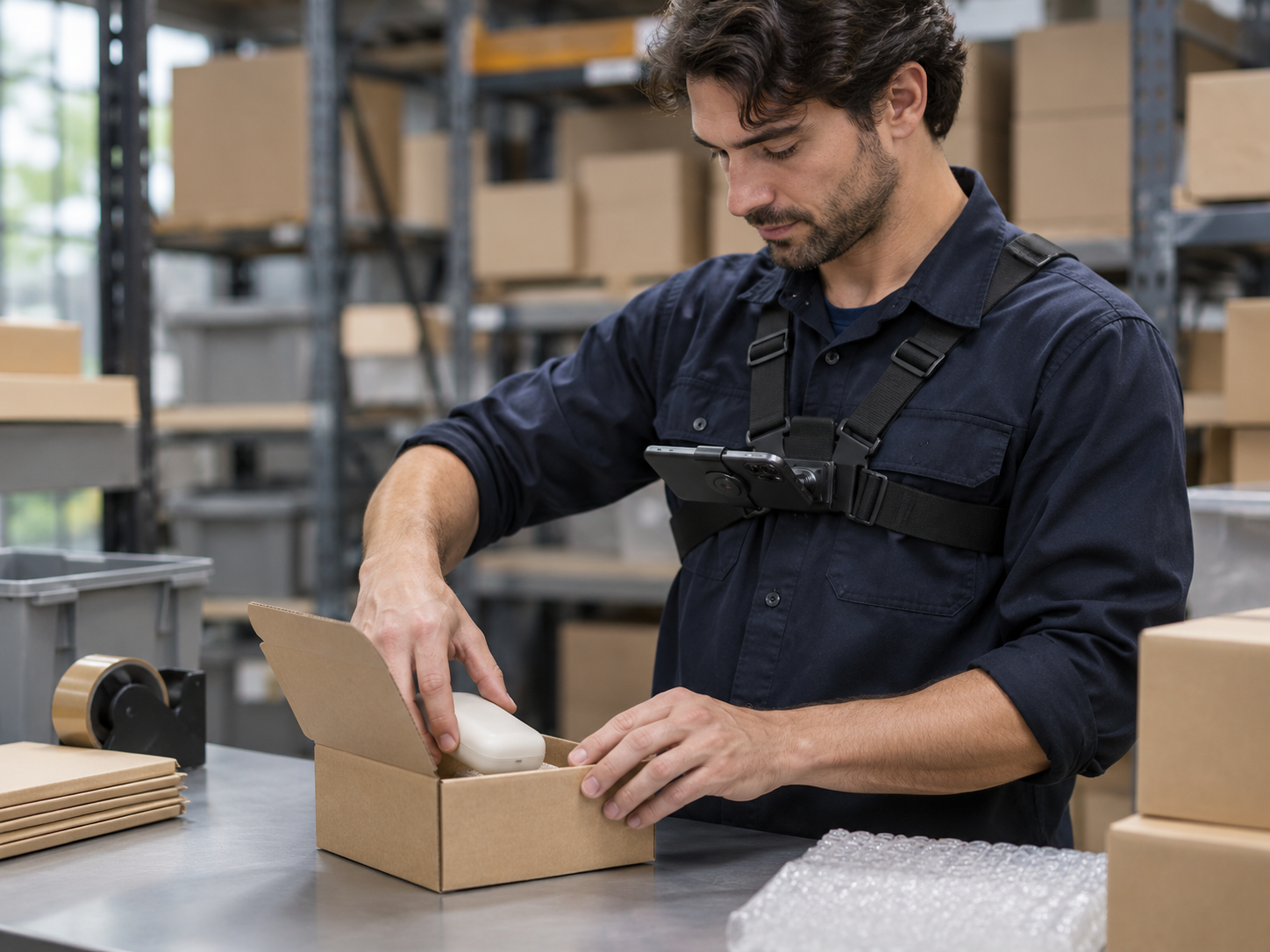
A securely mounted phone can capture work from the participant's perspective. The approved setup should keep the task visible without getting in the way.
Follow the recording instructions and equipment requirements confirmed during setup.
Participating workers choose when to start. Keep permissions, safety and excluded areas in mind.
Footage is checked against the agreement. Accepted hours and the contract determine what is payable.
Agree on participants, tasks, locations and consent before the first recording. This website does not provide a recording app or access your camera. Actual availability, equipment and terms must be confirmed before participation.
// Getting started
Confirm the work and the terms, then prepare your team.
Start with the team, locations and physical tasks you would like reviewed.
Review permissions, approved work, acceptance rules and commercial terms.
Complete consent, training, equipment setup and access before filming.
Use agreed reporting to reconcile accepted hours and payments.
// Questions
No. It is an illustrative gross-revenue range based on 12.5–50 approved hours per worker per week, an assumed $10/hour and four weeks. Eligibility, approval and payment terms require an agreement.
No. Optional employee compensation starts at $0. Enter a four-week compensation amount only if you want it deducted from the scenario. Business costs are not modeled. You remain responsible for your actual compensation, costs and legal obligations.
No. Only hours accepted under the agreed criteria should be modeled as payable. Recorded footage may be rejected or fall outside the permitted scope.
The recording plan should identify permitted tasks and participants, excluded areas, client restrictions and confidential information. Get informed consent and site approval, and provide a clear way to pause or stop.
No. New video of physical work is a separate opportunity from licensing email, chats or other business records. Different permissions and commercial terms apply.
No. You can send an inquiry now. Business approval, terms, training, permissions and recording access must be confirmed before you begin recording. An inquiry is not enrollment or approval.
// Start with a conversation
Tell us about your business and the tasks you would like considered. No footage, sensitive records or employee details.
Inquiries are open. Program availability and fit are reviewed individually; submitting an inquiry does not guarantee acceptance, equipment or payment.
Illustrative imagery is AI-generated and does not show a real participant or an approved equipment configuration.